A closer look at what goes into each category of corporate AV work — what the system does, how we design around the constraints that matter in commercial environments, and where in-house execution changes the outcome.
Boardroom & Executive Conference AV
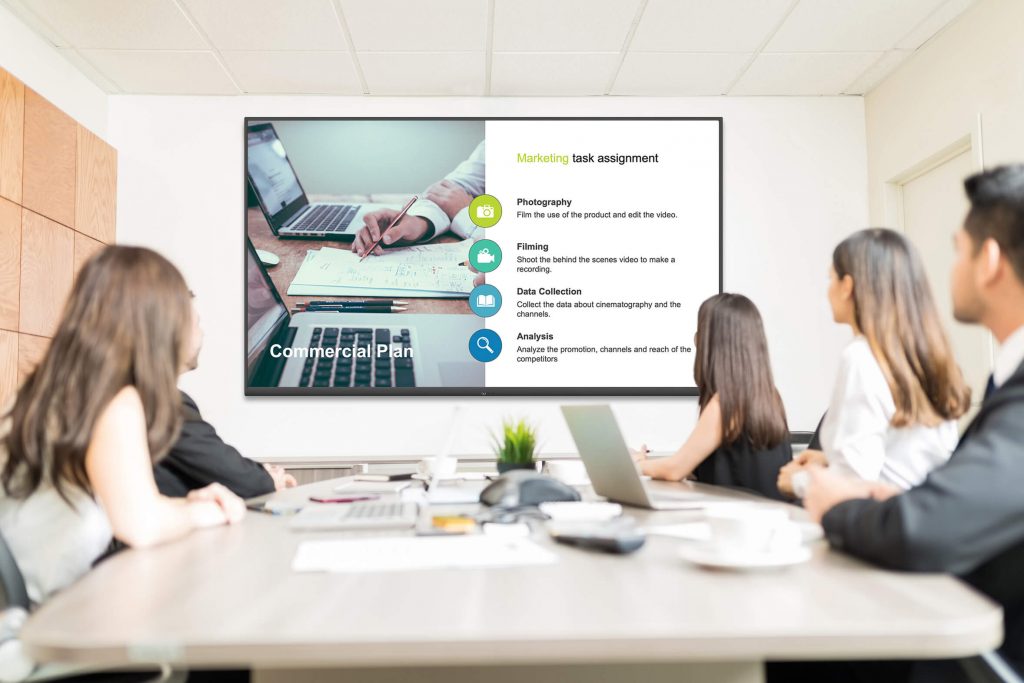
The boardroom is where the largest decisions get made — and where AV failure is most visible. Corporate boardroom systems have to support in-person and hybrid meetings with the same quality, handle confidential sessions cleanly, and give executives single-touch control over displays, cameras, microphones, and room lighting.
We design boardroom AV around reliability, integration, and privacy. That means enterprise-grade ceiling microphones with beam-tracking and voice lift, multi-display arrays or dual projection where the table geometry demands it, Crestron or Extron control surfaces configured for the specific meeting types the room actually runs, and acoustic treatment so the room sounds as good as the technology. Our Ralph Lauren conference room project is a worked example — Zoom-integrated video with large-format displays and an interface the team uses without training.
Video Conferencing & Hybrid Meeting Rooms
Most corporate video conferencing problems aren't about the software — they're about everything around it. The room picks up HVAC noise. The camera can't see everyone. The microphone array is too far from the table. The display is too small for participants in the back. Remote attendees get the worst seat in the house.
We design Zoom Rooms, Microsoft Teams Rooms, and Cisco Webex installations that work the way they're advertised. Biamp or QSC DSP for echo cancellation tuned to the specific room. Shure or Sennheiser microphone arrays positioned for the table shape. PTZ or tracking cameras that frame the active speaker. Displays sized for the longest sight line. Every room we build meets a simple test: remote participants can hear, see, and speak as if they were in the room.
Digital Signage & Corporate Communications
Digital signage started as lobby displays and now covers the full campus — wayfinding, employee communications, lobby branding, cafeteria menus, meeting room availability, emergency messaging. A real corporate signage deployment is a networked system, not a collection of TVs with USB sticks.
Our signage installations use commercial-grade displays rated for extended-hour operation, content management platforms that facilities and communications teams can both update, and integration with the systems you already run — calendar feeds for meeting room screens, HR systems for employee recognition boards, security feeds for emergency messaging. We handle the displays, the mounts, the network, the CMS, and the team training.
Corporate Training & Learning Spaces
Corporate training rooms have to flex. The same space might host a 20-person lecture on Tuesday, four small-group breakouts on Wednesday, and a certification class being recorded for asynchronous review on Friday. That flexibility has to show up in the AV system.
We build training spaces with wireless presentation that any device can connect to, zoned audio so breakout groups don't compete, movable display arrays that work with changing furniture layouts, and lecture-capture systems that record both the presenter and the presentation for later review. Where compliance matters — medical device training, pharmaceutical training, legal or financial education — we design recording and archive systems to meet the retention requirements you work under.
Executive Briefing Centers
An executive briefing center is the front door for enterprise clients. The room's job is to showcase technical capability without the technology being the story. When it works, visitors remember the pitch. When it doesn't, they remember the scramble to get the display working.
Our EBC installations feature large-format video walls or direct-view LED, multi-source video with switcher control over what's on each panel, tuned room audio that reaches every seat without effort, scene lighting for presentation and demo modes, and redundancy on every critical path — backup displays, redundant processors, spare microphones already mounted. An executive briefing center cannot afford a support call mid-meeting, and our designs don't create that possibility.
Campus-Wide Audio, Paging & Mass Notification
Life-safety systems and distributed audio often share the same infrastructure. A modern corporate campus needs zoned background audio, area-specific paging, emergency notification, and integration with fire alarm and access-control systems — all running on the same networked backbone.
Our Viatris Greensboro paging system is a representative project: a campus-wide JBL loudspeaker deployment, zoned control, and integration with the facility's existing communications infrastructure. Our team handled the system design, the code compliance review, the network design, and the installation — no subcontractors, no handoffs between disciplines.